Australian voice AI — live on the web, iPhone app in development

Meet Lenny — the AI assistant you talk to,
built for blind and low-vision people. Better for everyone.

Ask for a market brief and she runs the analysis live, then reads it aloud — jobs, shopping and scam-checks too. Working today on the web and in Discord. Built for Australia. Free to try, no sign-up.

Built by a blind engineer with 16+ years shipping production systems — hands-free and eyes-free by design, built for everyone. Why we built her →

Try Lenny now — talk in your browser Tap once — she answers out loud in seconds. No sign-up, no card.
Tap to hear her answer:
Blind-led Better for everyone
Voice-first Talk, don't type
VoiceOver-tested Built to meet WCAG AA
Markets read aloud 7-timeframe analysis
Extreme macro of a lemur's eye by candlelight — inside the huge amber iris, a green-and-red candlestick chart glows like a reflection, each candle a tiny flame around the dark pupil.

She listens while you talk. Press the mic and judge for yourself.

Voice isn’t a feature bolted on here — it’s the architecture, which is why she works by ear for everyone, whether you read the screen or never look at it. Built accessibility-first in Adelaide, and tested daily by its blind founder. Read our story →

Talk to Lenny — no sign-up required

Press the mic and ask her anything. She answers out loud, in seconds, in one of 13 languages — this is the live product; judge it for yourself.

Your browser asks before the mic turns on; you can type instead. She replies out loud — headphones on in public. The free beta includes everything; no card, and we’ll always ask before any paid plan applies.

Lenny Online

This demo needs no account — nothing you say here is linked to you. Conversations may be reviewed to improve Lenny, and feedback you offer is kept for the team, so please don’t share anything sensitive. Privacy

Sales & help assistant — educational only, not financial advice.

Built — in internal development builds today, not yet available to download

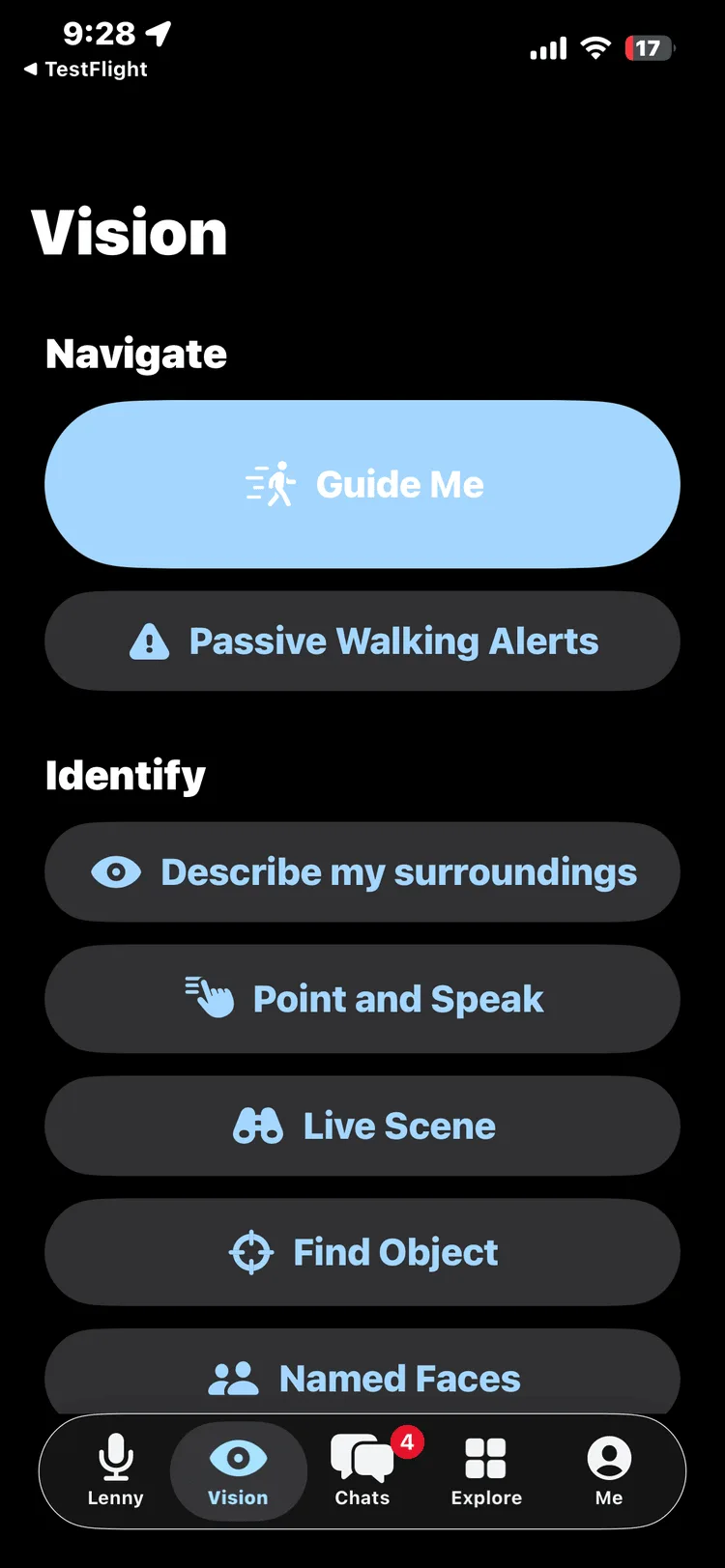
It sees and describes —
built for iPhone.

Point the camera. Lenny speaks. Scenes, text, objects, colours and faces — described aloud in real time, locked by more than 2,300 automated tests in our internal development builds.

  • Live Scene — continuous narration that speaks up only when the scene changes, not a one-off description.
  • Point & Speak — point a finger at a sign or label and hear just that text read aloud.
  • Read Document, Money, Find Object, Who’s Here, Find a Door — twelve accessibility tools, built in internal development builds today.
  • Full voice output — every answer spoken aloud; no screen needed.
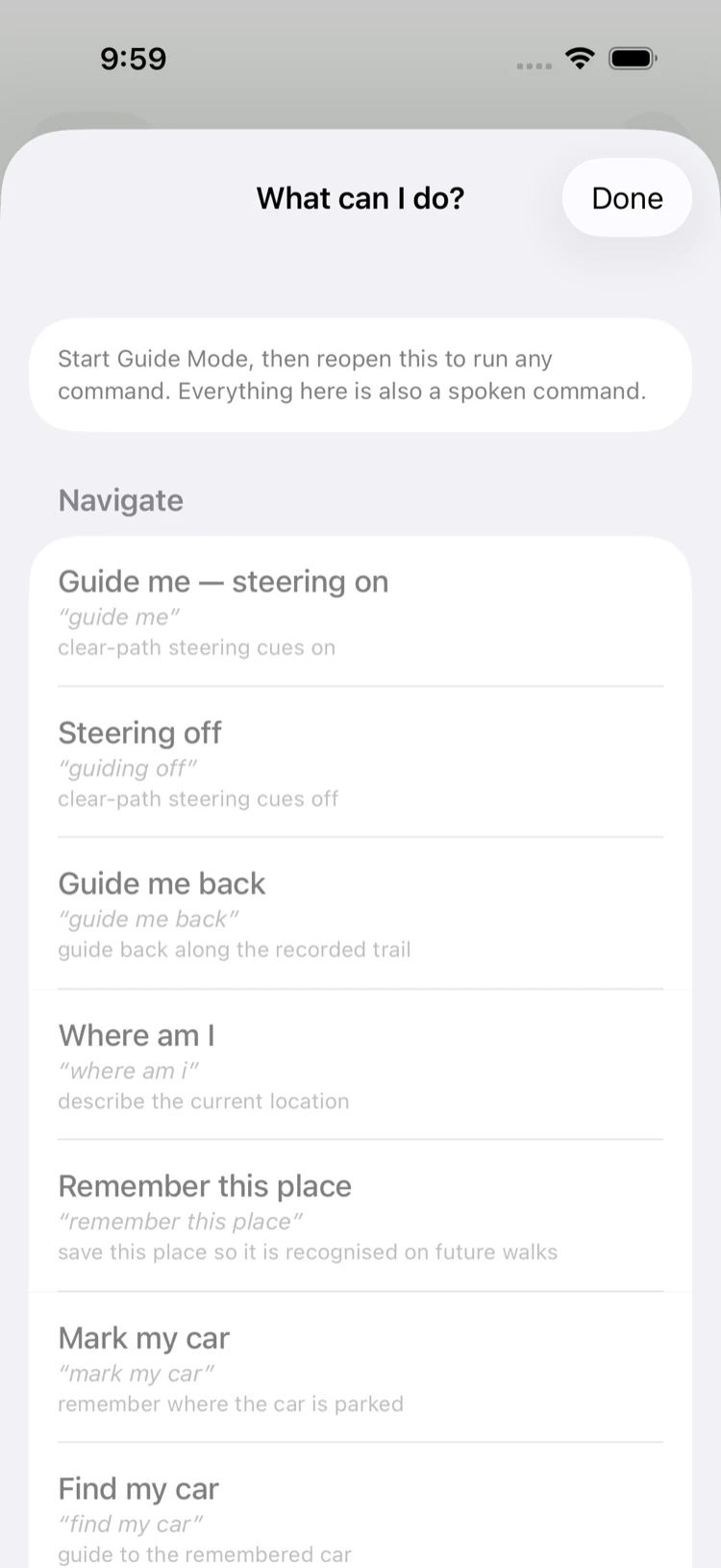
  • Live navigation guidance — spoken route cues and obstacle awareness. In development; will be validated with an O&M specialist before any unsupervised walk.

Development build — not yet available to download. The seeing-and-describing capability is built for both LiDAR iPhones (iPhone 12 Pro and later Pro/Pro Max models) and non-LiDAR iPhones, and degrades gracefully between them. Navigation guidance is in active development — the safety rules are in the statement below.

Our vision is vision. Accessibility isn’t different. It’s better — for everyone.

Hear the guidance system. It works by voice as you walk — spoken cues, not a screen to watch.

Development build — simulated cues. It assists your judgment; it never replaces your cane, your guide dog, or you, and it will never say “it’s safe to cross.”

Built today: the perception layer

Built

Everything above — scenes, text, objects, colours and faces spoken in real time — is built and test-locked, running in our internal development builds. On-device validation is the next step.

In development: route-following assistance

In development

Spoken route cues with careful awareness of the path right in front of you — steps, kerbs, obstacles. This layer, still in development, is designed to assist route-following once it has passed supervised validation in stages with an Orientation & Mobility specialist — before anyone walks with it unsupervised.

Assists everything. Replaces nothing. This is an assistive tool, not a mobility aid — it will never say “it’s safe to cross,” and it steps back whenever it’s unsure.

The seeing-and-describing parts are built and test-locked, in internal development builds. The live-navigation parts are in development, and will be validated with mobility specialists before any blind person walks with them. Nothing here is available to download yet. See how we prove it →

One platform — here’s what else Lenny does

The same voice-first platform a blind trader uses to run a live market brief also helps you shop, travel and work with your team. We built at the hardest level of accessibility first — so every capability is better for everyone. Pick one for the full detail.

See all of these in full detail on the platform capabilities page →

Try it now — search real Australian jobs

No sign-up needed. Real listings from Adzuna, Australia’s open jobs API.

Real-time search of live AU job listings — details may change; always confirm on the employer’s posting before applying.

    Built to be heard, not just seen

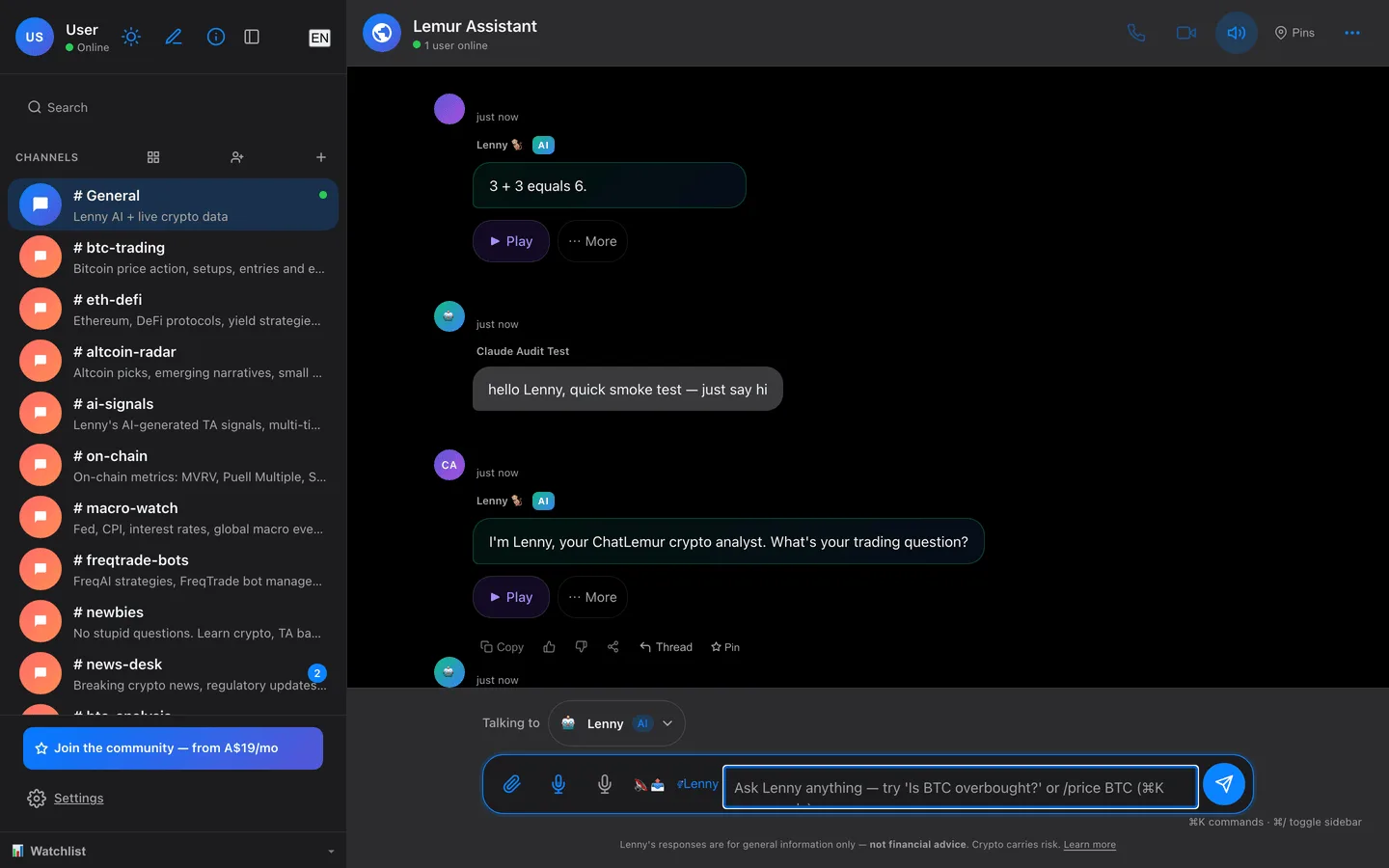
    The whole app works by ear: every message, mention and reply is announced the moment it lands. Built for the people other apps leave behind — and better for everyone else too.

    Mentions that speak up

    @you is read aloud the instant it arrives.

    Unread that keeps up

    Know what's new without hunting for it.

    Threads you can follow by ear

    Replies stay grouped and announced in order.

    One voice, your language

    Lenny answers out loud in the language you speak to her.

    She’s on your side. Lenny screens for scams, fake urgency and dodgy “deals,” and explains your Australian consumer rights in plain English. When a link ever earns us a commission, she always tells you — she works for you, not the seller.

    How she protects you →

    Free during beta

    Everything is free while we’re in beta — no card, no clock, nothing auto-renews.

    A$0 during beta. Paid plans (Solo, Pro, Premium — AUD, GST included) are our planned launch pricing, for when you need more. No bait-and-switch: you’ll only ever pay if you choose to upgrade after launch.

    • Free

      A$0 — always free

      Chat & voice with Lenny, live BTC/ETH/SOL prices & basic TA, summarised on-chain signals and Artist Mode. Stays free — no credit card, nothing to cancel.

    • Solo

      A$19 /mo

      Everything free, plus full technical analysis and more price alerts (up to 10).

    • Premium

      A$99 /mo

      Full access — live voice, on-chain depth, harmonics and your own branded Lenny.

    Paid-tier prices in AUD, GST included — everything is free during beta; the Solo, Pro and Premium figures are our planned launch prices. The Free plan stays free after launch. See the full plan comparison →

    Running a team or business? Branded Lenny, custom data & alerts, API access, and bespoke coding — talk to us about a Business plan — email us →

    Educational platform. Not financial advice. Cryptocurrency markets are highly volatile.

    Frequently asked questions

    Everything you need to know about ChatLemur. Still curious? Just ask Lenny.

    What is ChatLemur?
    ChatLemur is an accessible voice-first AI assistant with skills, that you talk to. Its voice-first AI assistant, Lenny, reads the markets out loud, then helps with news, shopping, jobs and scam-screening — money-smart and on your side — alongside live voice rooms and community. It's free to start, with no sign-up needed to say hello.
    Is ChatLemur really free?
    Yes. You can create a workspace, invite your team, chat, join voice rooms, and talk to Lenny on the free plan — no credit card required. Paid plans (from A$19/month) add more capacity and premium capabilities, but the core experience is free to start.
    Who built this?
    ChatLemur is built by a blind Australian developer with 16+ years of production delivery across government, finance and payments. Accessibility-first isn't a marketing claim here — the founder uses the product every day with VoiceOver, and lives by its safety rules. Beta-tester feedback, collected right on this page, actively shapes the roadmap. Our story →
    What makes ChatLemur different?
    Three things: it's built accessibility-first (designed for full screen-reader and keyboard use, not bolted on afterwards), it's voice-first so you can talk instead of type, and every workspace includes Lenny, an AI assistant who answers questions and reads things aloud. It brings chat, voice, and community into one place rather than making you stitch tools together.
    What makes ChatLemur accessible?
    ChatLemur is designed and built to meet WCAG 2.1 AA and is built for screen readers from the ground up, with full keyboard navigation, skip links, meaningful labels, and high-contrast, reduced-motion and reduced-transparency support. Because it's designed at accessibility's hardest setting, it ends up better for everyone.
    Who is Lenny?
    Lenny is ChatLemur's AI assistant — the voice you talk to. She lives in every workspace, answers questions in chat or out loud in voice rooms, summarises conversations, and can give in-depth market analysis. Meet Lenny →
    Does ChatLemur work on iPhone?
    ChatLemur works in any modern web browser today, including Safari on iPhone and iPad. A native iPhone app is in development — not yet available to download — built with the same accessibility-first approach.
    Is the vision & navigation companion available yet?
    No — and we’re honest about that. The perception layer (seeing and describing scenes continuously, reading text — including text you point at — and recognising objects and faces) is built and locked by more than 2,300 automated tests, running in our internal development builds — on-device validation is the next step. The navigation layer is in earlier development. Its first field use will be shadow mode: the app logs every cue it would have spoken, without speaking or steering, so its judgment can be audited before it guides anyone. No blind person will walk with it unsupervised until it passes staged validation with an Orientation & Mobility specialist. More about us →

    On the roadmap — not yet available

    None of the items below are available yet. We’ll say plainly when each one ships — we never claim a feature that isn’t built.

    • AI-assisted group video calls. Lenny describes the shared view aloud, so a blind lead and sighted teammates follow the same picture. In development, built on LiveKit.
    • Projects & plans, by voice. Lenny breaks a goal into steps and keeps track of what’s next. On the roadmap, not live yet.
    • One journey, door to door. A travel companion for every leg of a blind traveller’s trip — walking, public transport, venue wayfinding — in one continuous voice. A vision milestone; validated under Orientation & Mobility supervision before unsupervised use.
    • Hands-free on smart glasses. The same vision engine running on Meta-style wearables — the camera as your eyes, hands-free. An exploratory direction, not a roadmap commitment; the phone stays primary and no special hardware is required.
    Built in Adelaide, Australia
    Accessible by design
    Privacy first
    ACL compliant · ABN 26 994 122 501
    Talk to Lenny