Privacy by design
Most of what Lenny sees is worked out right on your phone — nothing needs to leave it. Named Faces stores no photos, just the name you give it, and is excluded from iCloud backup.
ChatLemur’s iPhone Vision app turns the camera into a narrator: scenes, text, objects, colours, money and faces, described aloud — including Live Scene, continuous narration built to speak on change rather than on repeat (in development), and Point & Speak, which reads back just the text under your finger. Twelve tools, one spoken answer each — most of it worked out privately, right on your phone. Why you can trust it →
Built by a blind engineer, and tested the way you’ll actually use it — by voice, VoiceOver-first.
Next: Live Guidance — a hands-free walking companion for blind people, built to be heard, not seen: bear-left/right, hallway and obstacle guidance, hedged ground-ahead cues (“can’t verify the ground — slow, cane-check”) and approach awareness, in one voice. No screen to watch, because none is needed. To our knowledge nobody yet ships this on the phone a blind person already owns — it’s the frontier we’re building now, and it will work with your cane and your training, not around them.
It supports your judgment; it never replaces your cane, your guide dog, or you. Full status & safety →
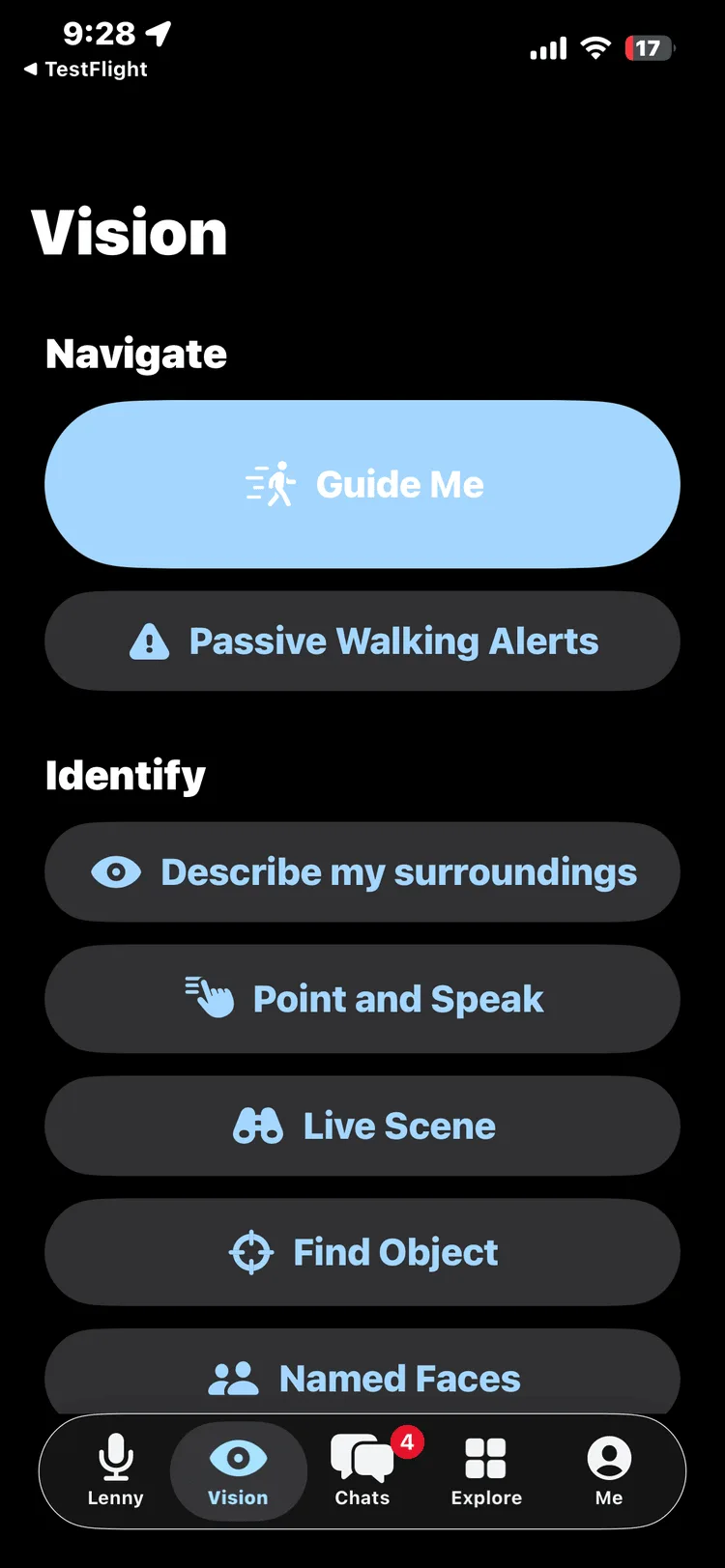
Point the phone at the world and it speaks. Twelve accessibility tools, each one a spoken answer to a real everyday question.
Every tool answers out loud, in real time. The grid includes:
An audio-first walking companion — spoken route cues aware of the path right in front of you: steps, kerbs, obstacles. No screen to watch; it’s designed to be heard while you walk, hands-free. This is the frontier we’re building now, validated in stages before anyone relies on it. Full status & safety →
Lenny works out depth and distance right on your iPhone by fusing the LiDAR sensor and neural camera depth together — LiDAR for precise close range, neural depth for outdoor and bright-light range — so it stays accurate indoors, outdoors and in low light, and she never states a distance she can’t back up. No special hardware needed. The hard half nobody ships is continuous, hands-free guidance on the phone a blind person already owns. We’ve built the on-demand vision tools; this is our attempt at the walking half — in active development, validated in stages with O&M specialists, and it will never say “it’s safe to cross.” The engine is also built to extend across several phones sharing depth in a swarm; swarm is in active development.
Built to get better on its own. The principle we’re building toward: “never update, always gets better.” The goal is for each walk to help the system learn the places you visit often — their steps, their doorways — and for tuning improvements to reach your phone over the air, without an App Store update. This familiar-place learning is in active development, not live, and goes through the same staged validation as Live Guidance.
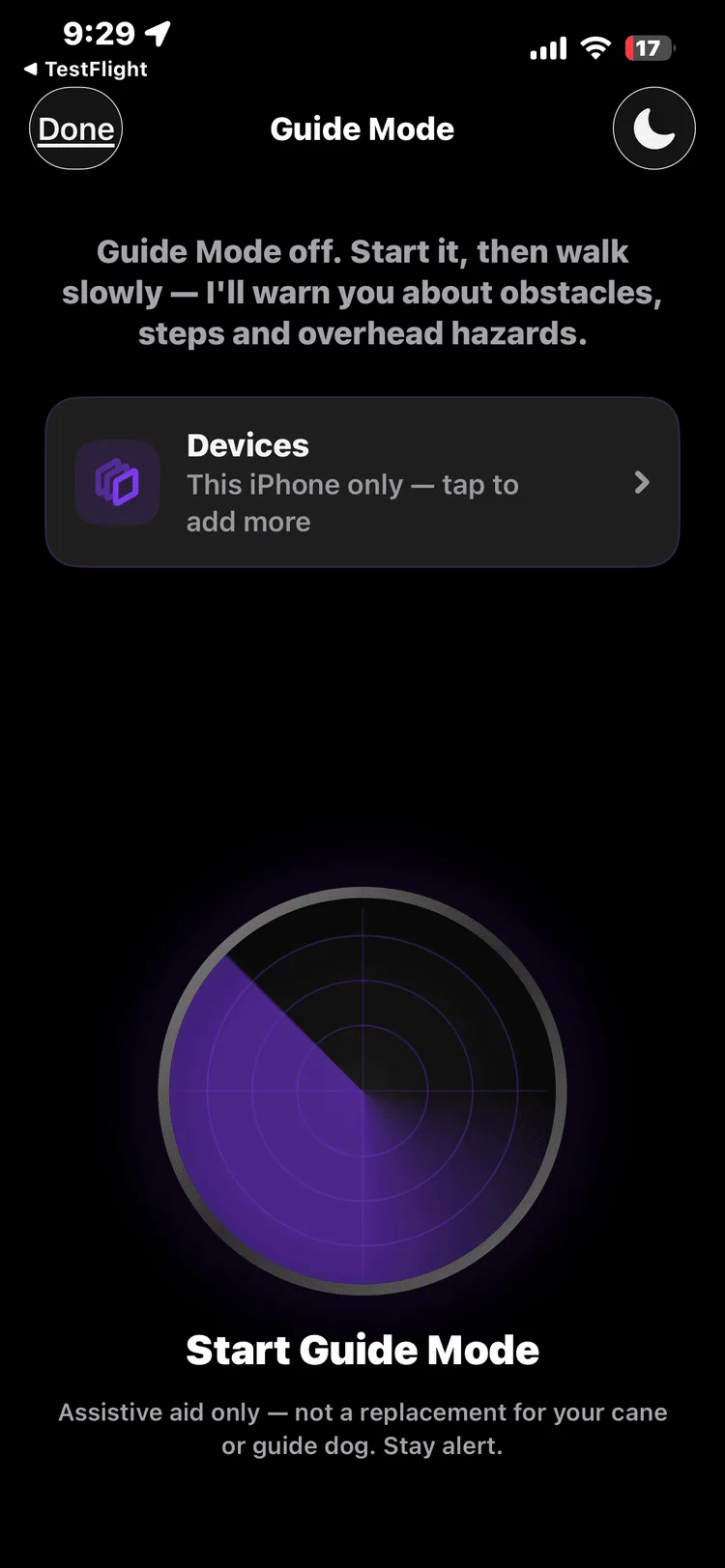
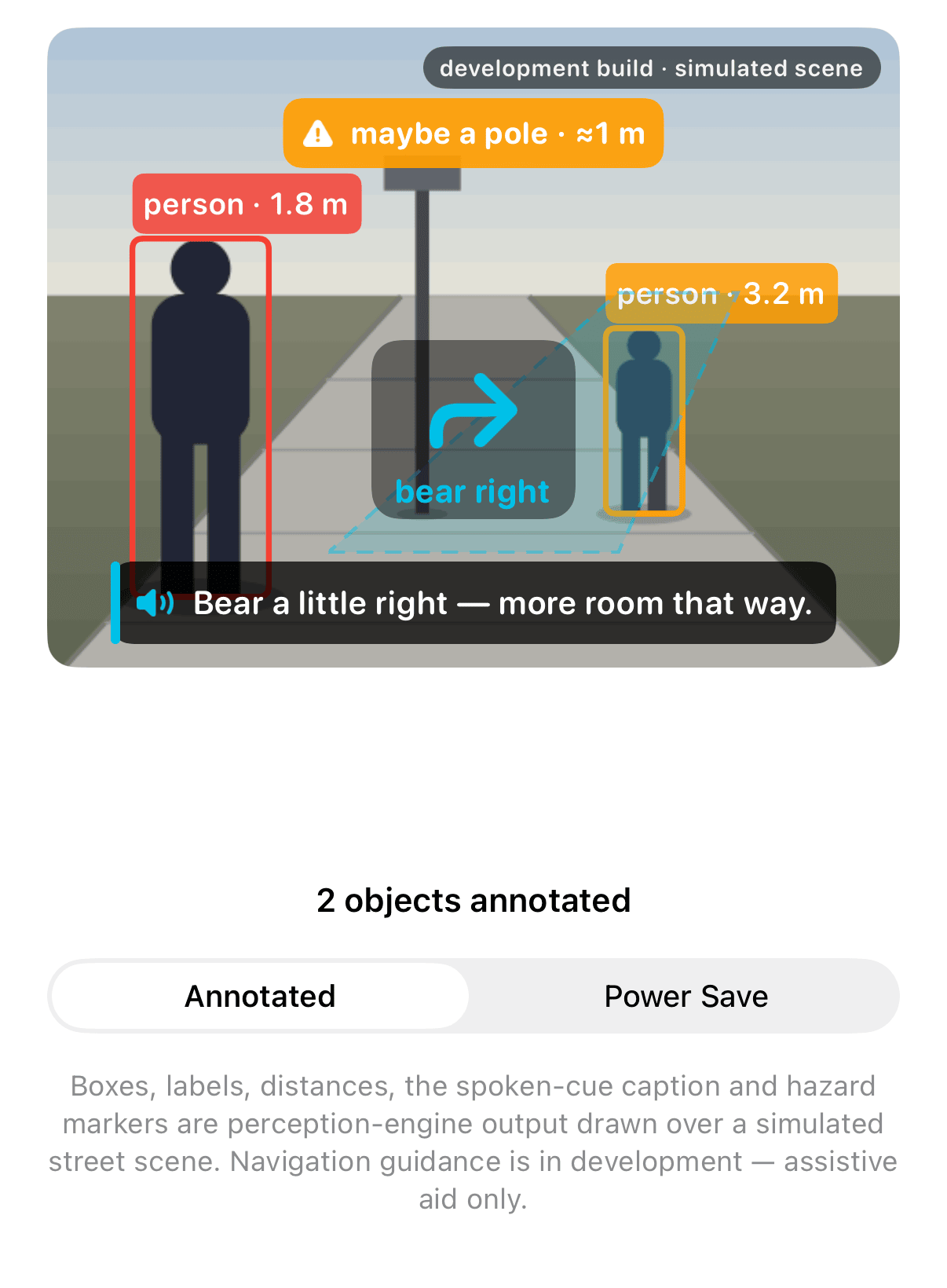
When it’s ready, you’ll start it and walk: Lenny is designed to speak the path, obstacles and distances aloud, with an annotated-display mode to show what it sees and a power-save mode that goes audio-only for long walks. It’s designed to work by voice as you walk, not a screen to watch; the cues you hear here are simulated, ahead of field validation.
Hear the guidance system.
Simulated cues, ahead of field validation. Works with your cane and your training — and it will never say “it’s safe to cross.”
A second set of eyes that works WITH your cane and your training.
This is an assistive tool, not a mobility aid — it will never say “it’s safe to cross,” and it steps back whenever it’s unsure. It’s built on one principle: it assists your judgment — it never replaces your cane, your guide dog, or you. ChatLemur is built by a blind founder, and this app is designed at accessibility’s hardest setting — which is why accessibility isn’t different here. It’s better, for everyone.
Navigation software for a blind person has to earn trust before it gets used, not after. So the proof is public, not a promise: every capability is labelled honestly — proven, provisional, or not yet — and the full readiness ledger is one click away.
Most of what Lenny sees is worked out right on your phone — nothing needs to leave it. Named Faces stores no photos, just the name you give it, and is excluded from iCloud backup.
The safety core is deliberately attacked by review, not just tested for the happy path — every verified finding is fixed and locked in place by a test.
Guidance cues stay switched off until Lenny has proven she’s properly calibrated on your own phone — earned, never assumed.
Built and used daily by a blind founder — the person who will walk behind these safety rules first, before anyone else does.
Read the full ledger. Every capability, the staged validation plan and the Safety Envelope mechanics are written out in full — your cane, your guide dog and your own judgment always come first.
Full status & safety →While the Vision app earns its release the careful way, you can already talk to Lenny in your browser — free, no sign-up — and hear the same accessibility-first design working right now.